About Rummy Grand App
Rummy Grand is an Android gaming app with a home screen that brings several game categories and account options together. The screenshots show All, Multiplayer, Skill, Slots and Sports sections, along with games such as Rummy, Teen Patti, Ludo, Andar Bahar, Dragon Tiger, Roulette and other titles. The home screen also includes Spin Wheel, Shop, Safe, VIP, Mail, Notice, Share and withdrawal shortcuts.
Alongside the game lobby, Rummy Grand App has account setup, phone binding, payment details, deposit and Chip Out sections. This page explains the options visible in the supplied Rummy Grand screenshots, including the referral pages and recharge rewards. Availability, bonus terms and payment routes may vary by account, so read the current in-app rules before using them.

Rummy Grand App Details
Here are the main listing details supplied for Rummy Grand:
- App Size: 65.6 MB
- Signup Bonus: ₹1
- Minimum Withdrawal: ₹100
- Rating: ⭐ 4.2 / 5 (1842 Reviews)
- Platform: Android (APK)
Rummy Grand APK Download
To get the app, use the Download Official APK button at the top of this page. The button opens the Rummy Grand download link supplied for this listing. Check the app name, file size and requested permissions before installing the APK.
- Tap the Download Official APK button above.
- Your browser will open the Rummy Grand download page.
- Choose the APK download option and wait for the 65.6 MB file to download.
- Open the downloaded file from your phone's Downloads folder.
- Review Android's installation prompt. Allow installation from that source only if you trust it.
- Finish the installation and open Rummy Grand.
If the downloaded file name, size or permissions do not look right, do not install it until you have checked the source.
Rummy Grand Login and Signup
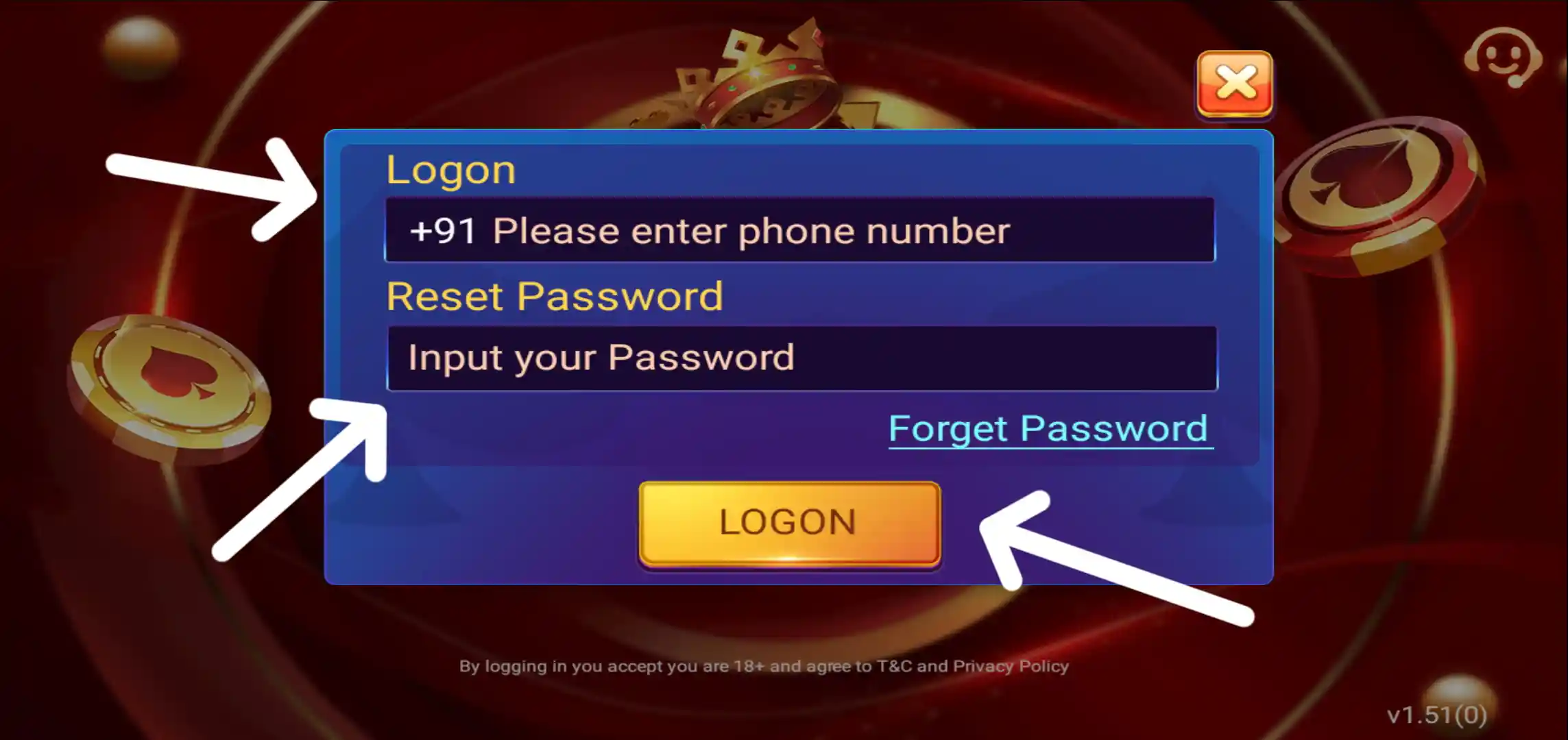
The login screen displays a phone number field with the +91 country code, a password field and a Logon button. It also has a Forget Password option. Enter the mobile number and password associated with your account to access the app.
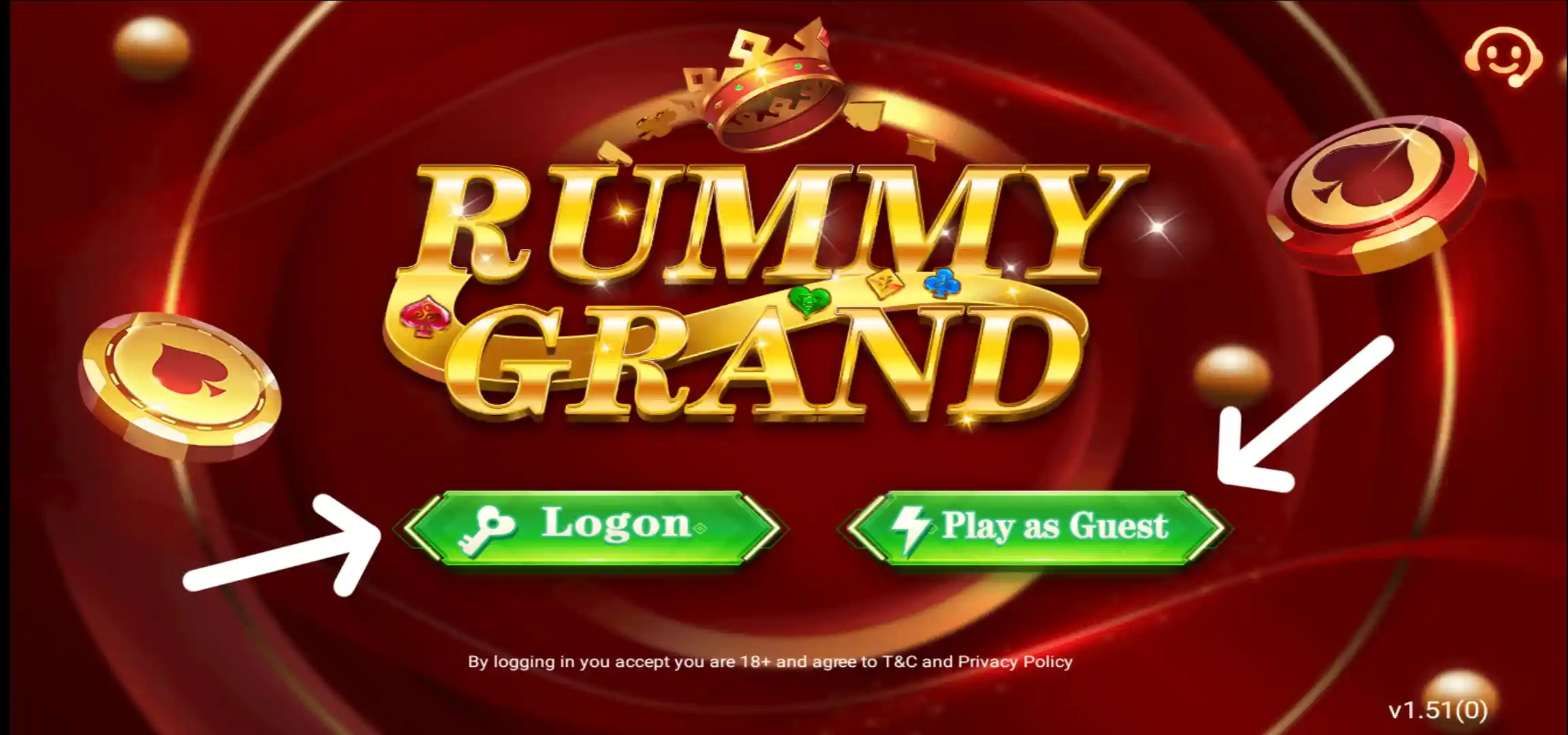
The opening screen also shows options to log in or play as a guest. The guest option is visible on the welcome screen, while account registration and phone binding are available through the account flow. Never share your password or OTP with another person.
Rummy Grand Games and Categories
The main lobby is divided into All, Multiplayer, Skill, Slots and Sports tabs. Selecting a tab displays the games grouped under that category. The All section gives an overview of the available tiles, while the other tabs make it easier to browse a particular type of game.

Multiplayer Games
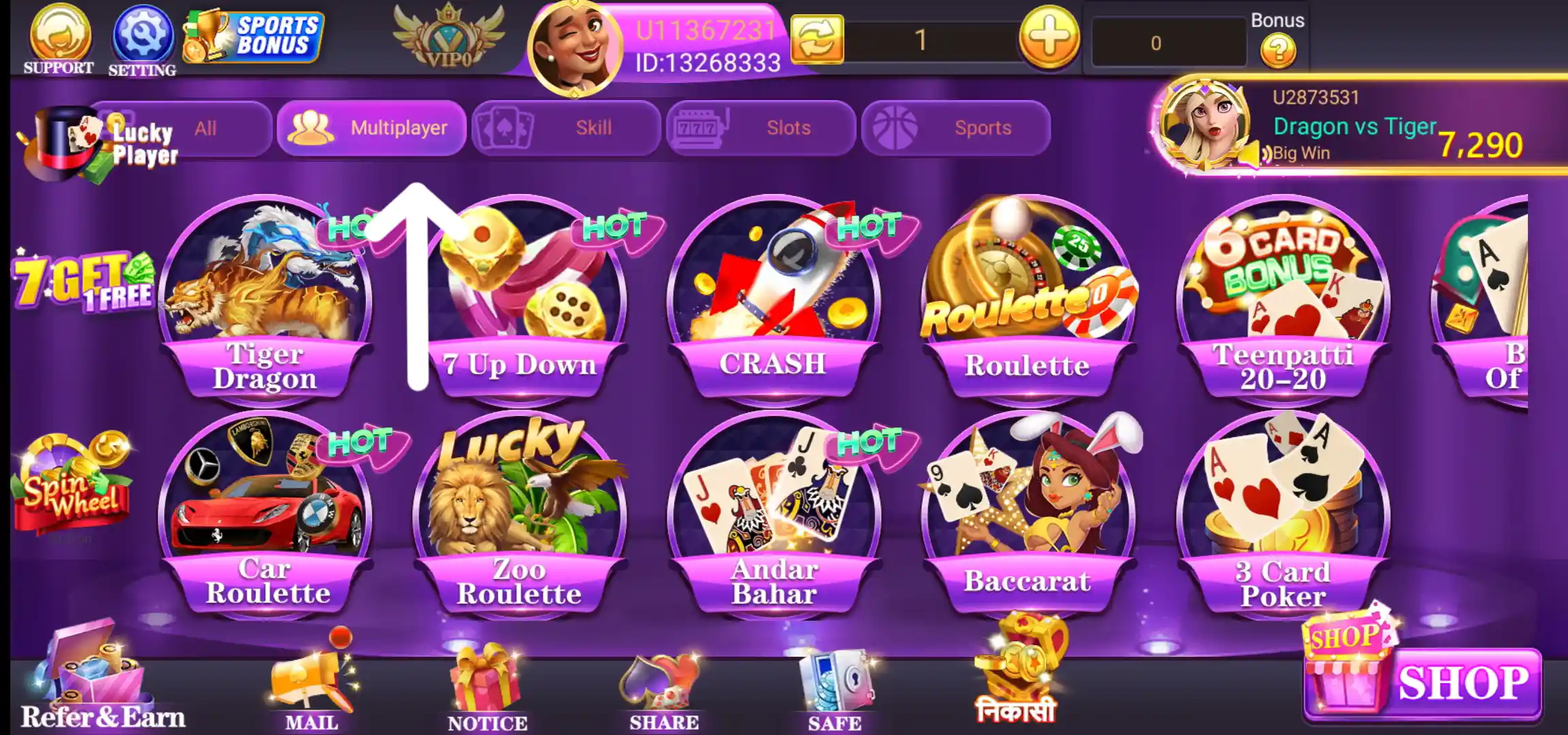
The Multiplayer screen displays a range of table and number-based games. The visible tiles include Dragon Tiger, Car Roulette, 7 Up Down, Zoo Roulette and other multiplayer options. Game names and availability can change, so open the relevant tile to read its rules and entry conditions.
Skill Games
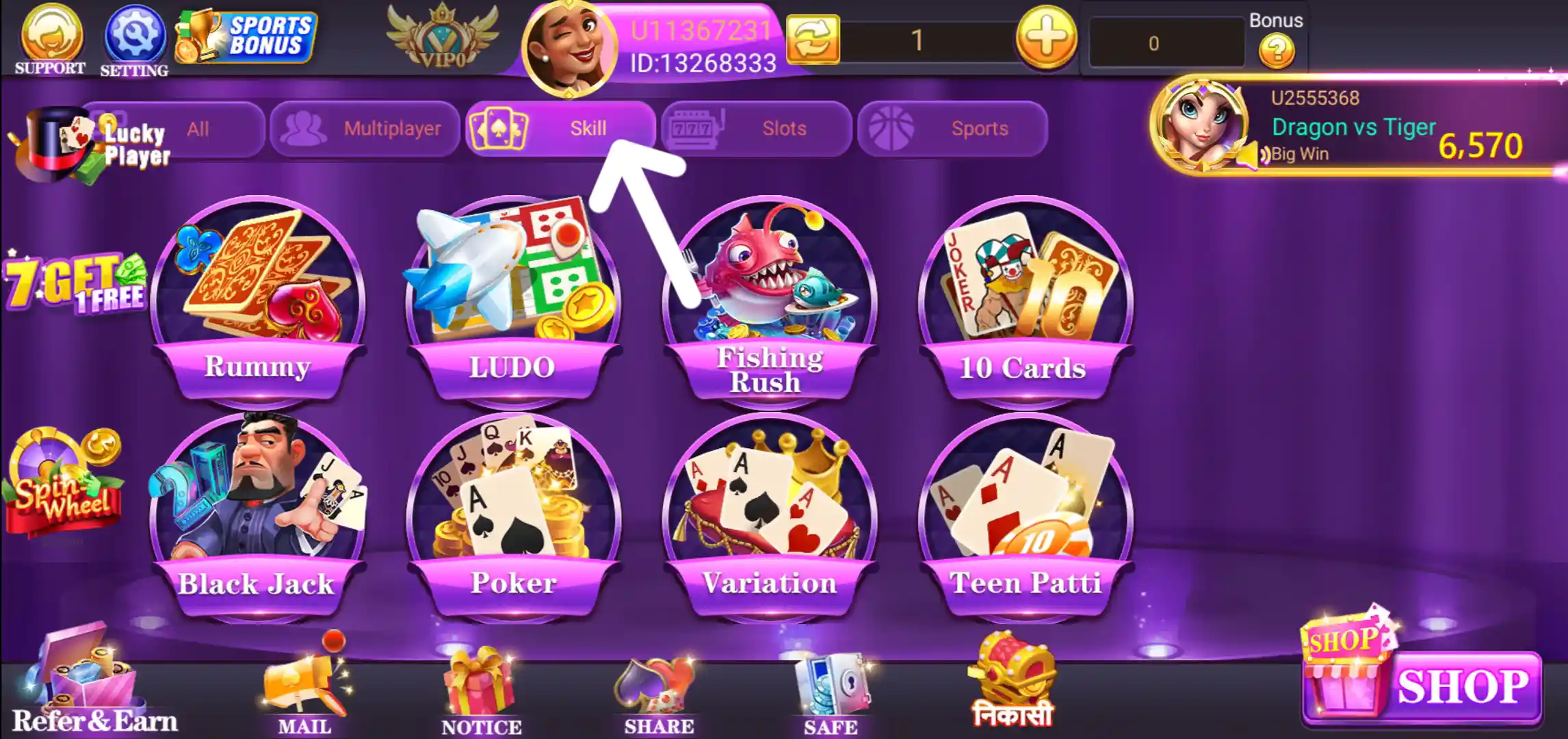
The Skill category brings together card and board-style titles. The supplied screen includes Rummy, Teen Patti, Ludo, Andar Bahar and other game tiles. Check the instructions inside each game before joining a table or starting a round.
Slots Games
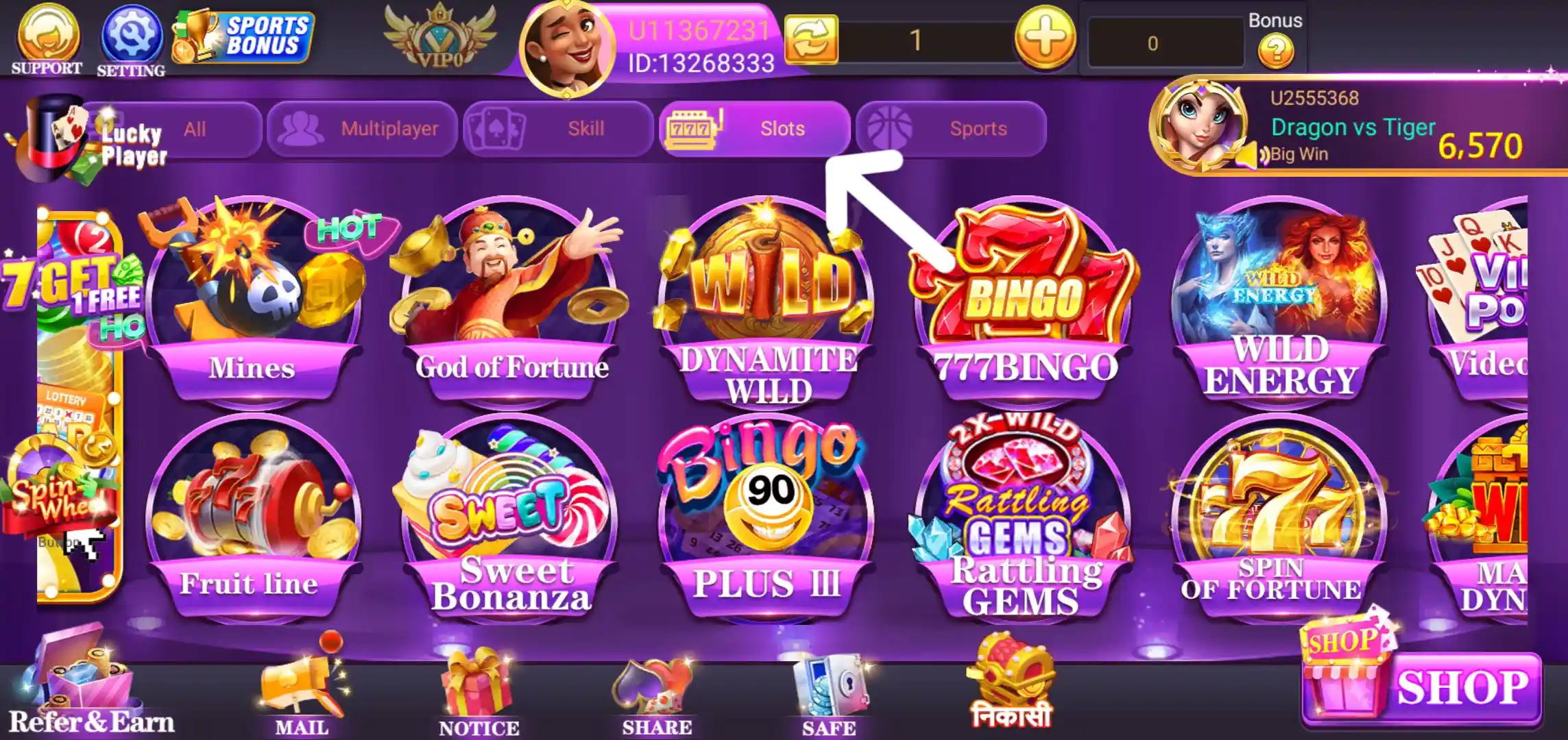
The Slots tab displays multiple slot-style game tiles with different themes and artwork. The available titles are shown in a grid, making it possible to browse the category from the main lobby.
Sports Games
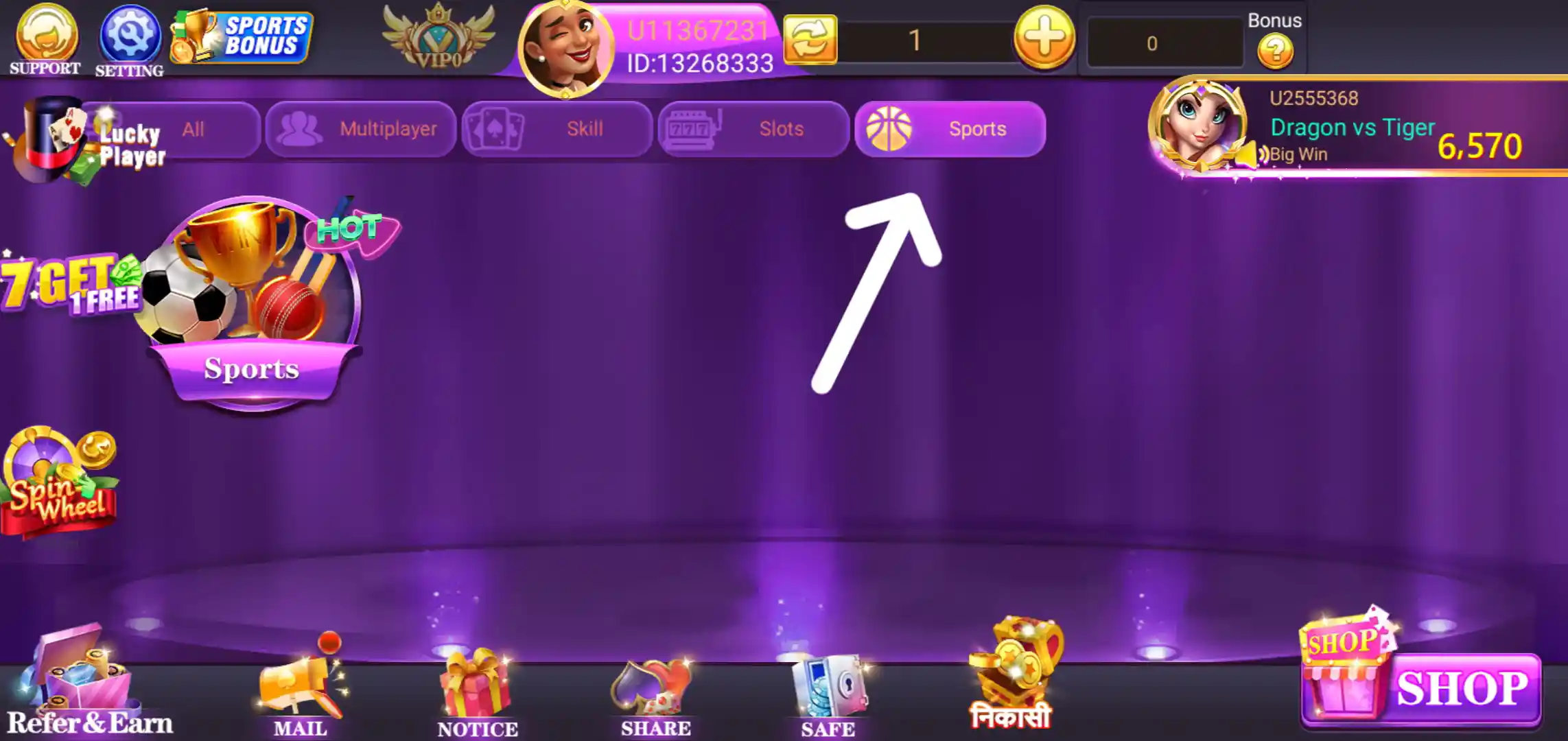
The Sports category has its own game screen, and a separate Sports Betting section is also visible in the app. Read the rules and applicable local requirements before accessing any paid or prize-based feature.
Rummy Grand Welcome Bonus and Recharge Rewards
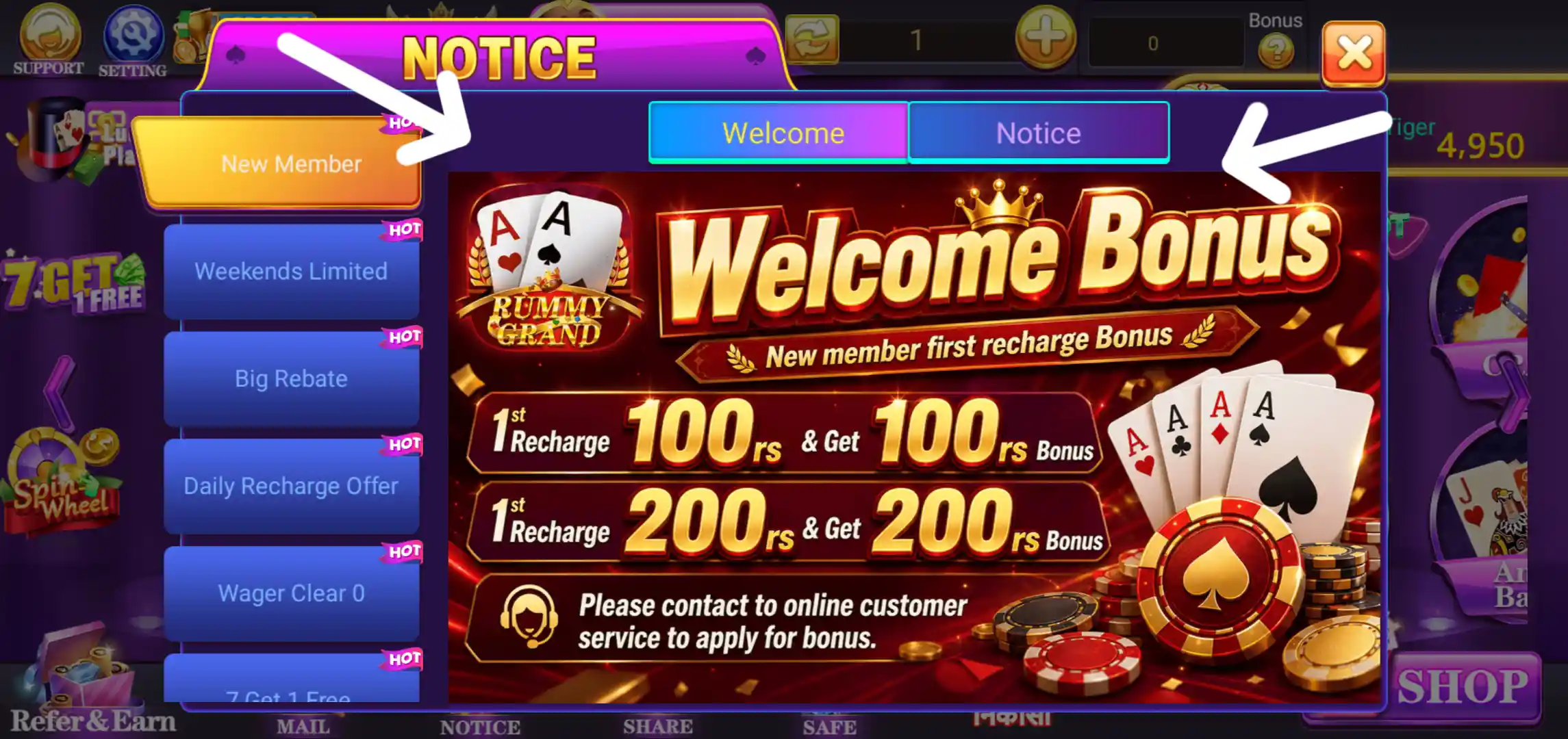
The Notice area displays a Welcome Bonus promotion and recharge-related offers. The listing details provided for this page state a ₹1 signup bonus. Promotional banners may show additional recharge rewards, but the amount, eligibility and crediting time should always be checked against the live offer in your account.
7 Get 1 Free Offer
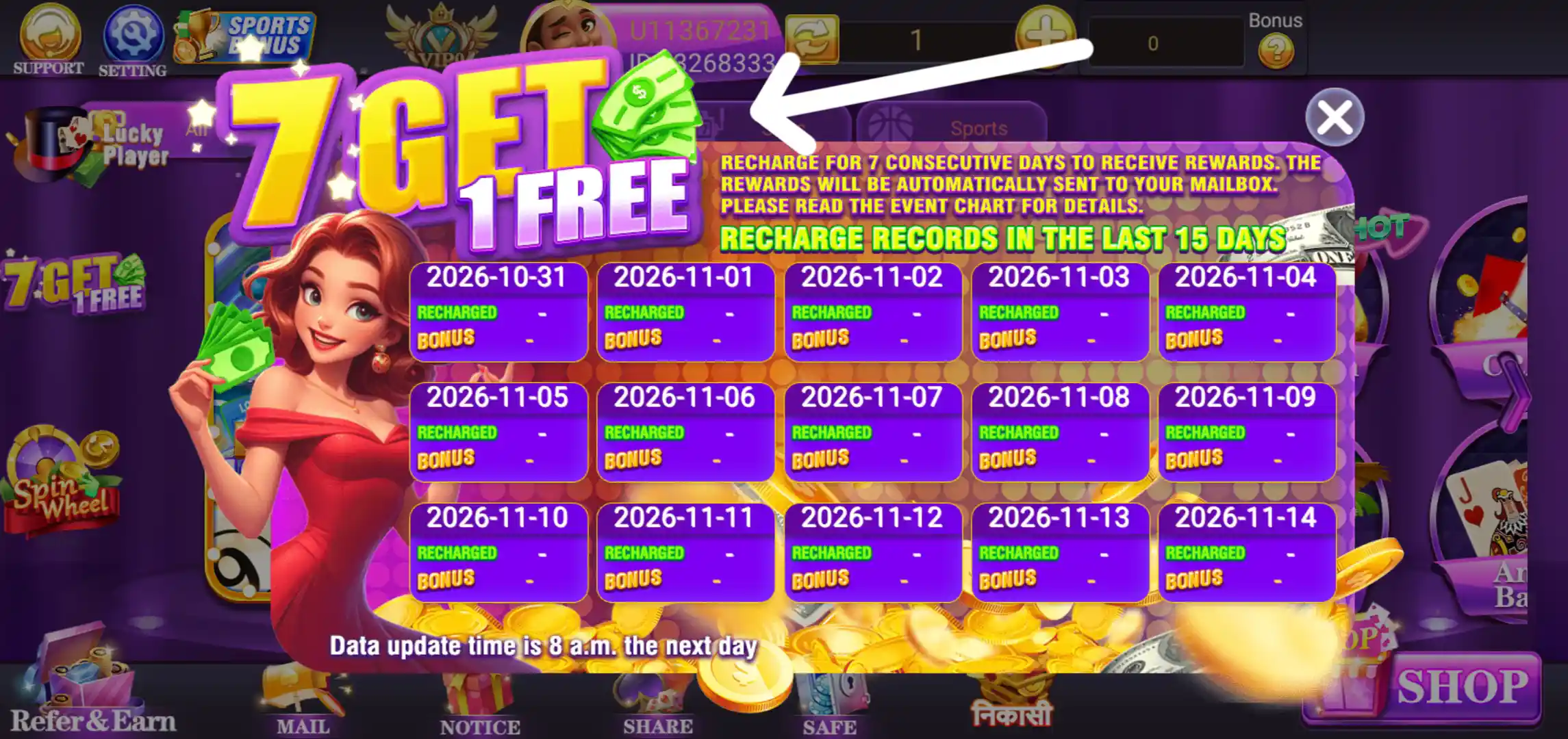
The 7 Get 1 Free event screen says that users who recharge on seven consecutive days can receive rewards. It also says that rewards are automatically sent to the mailbox and asks users to read the event chart for details. A recharge record panel shows the recent 15-day period, with separate Recharged and Bonus entries for each date. The screenshot notes that data is updated at 8 a.m. the following day.
VIP Plan and Daily Bonus
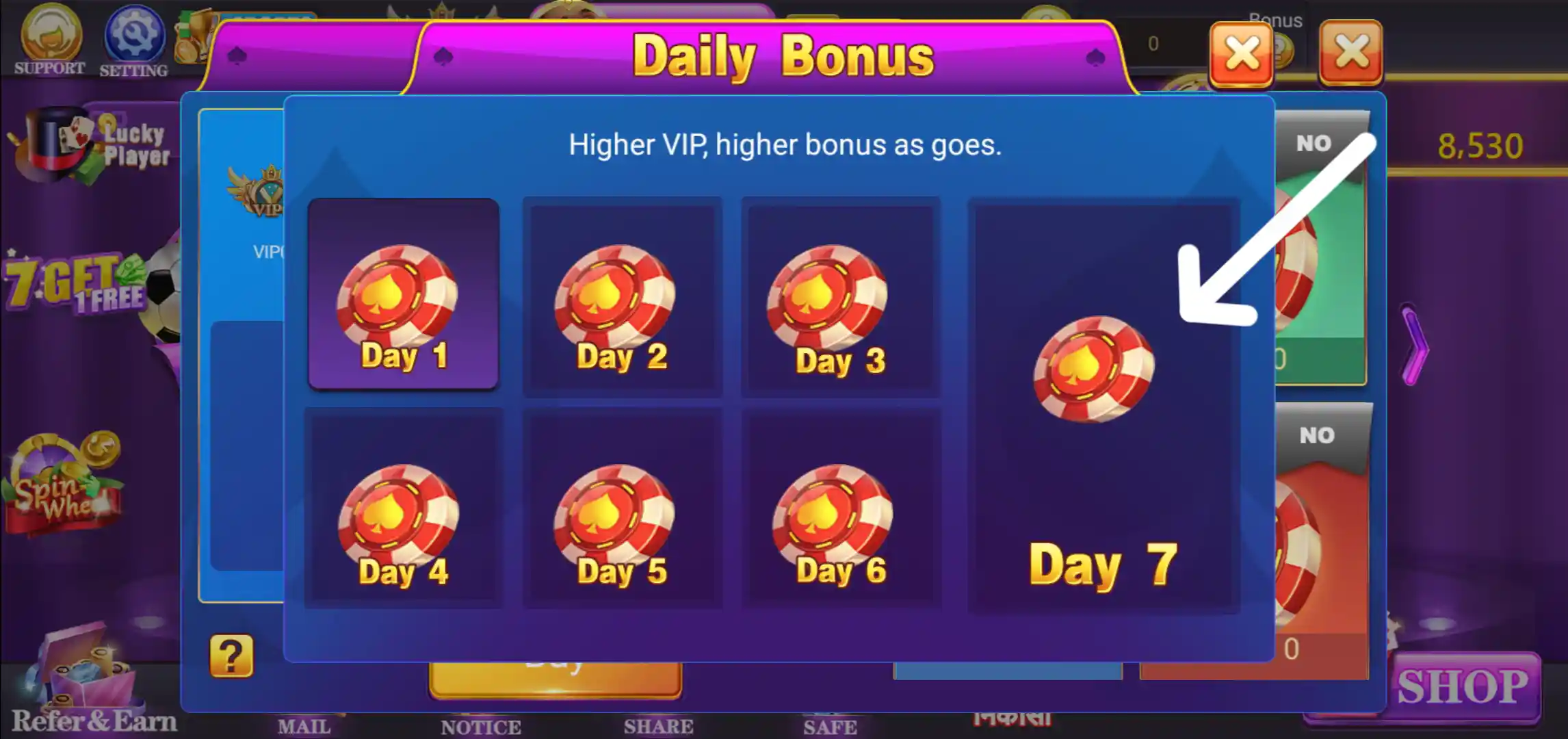
The VIP section displays Daily Bonus, Weekly Bonus, Monthly Bonus and Level Bonus information. A separate Daily Bonus window shows reward slots from Day 1 through Day 7 and notes that higher VIP levels may have higher bonus amounts. The exact rewards depend on the level and the terms displayed in the app.

Rummy Grand Shop and Deposit
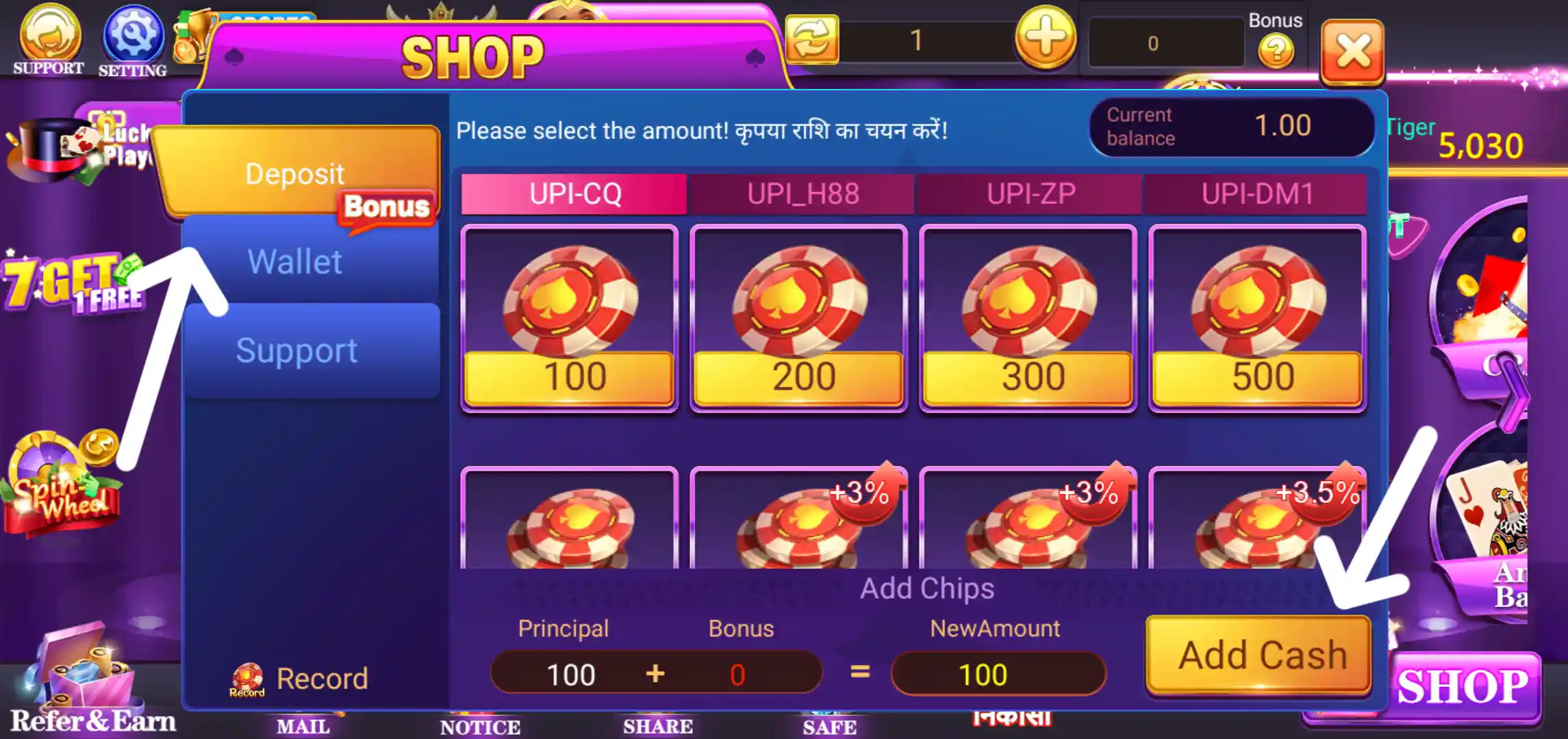
The Shop screen contains Deposit, Wallet and Support sections. The Deposit page displays chip packages and an Add Chips button. The amount and any bonus shown can differ by selected payment route or current promotion, so review the package details and final amount before confirming.
Wallet Add Cash
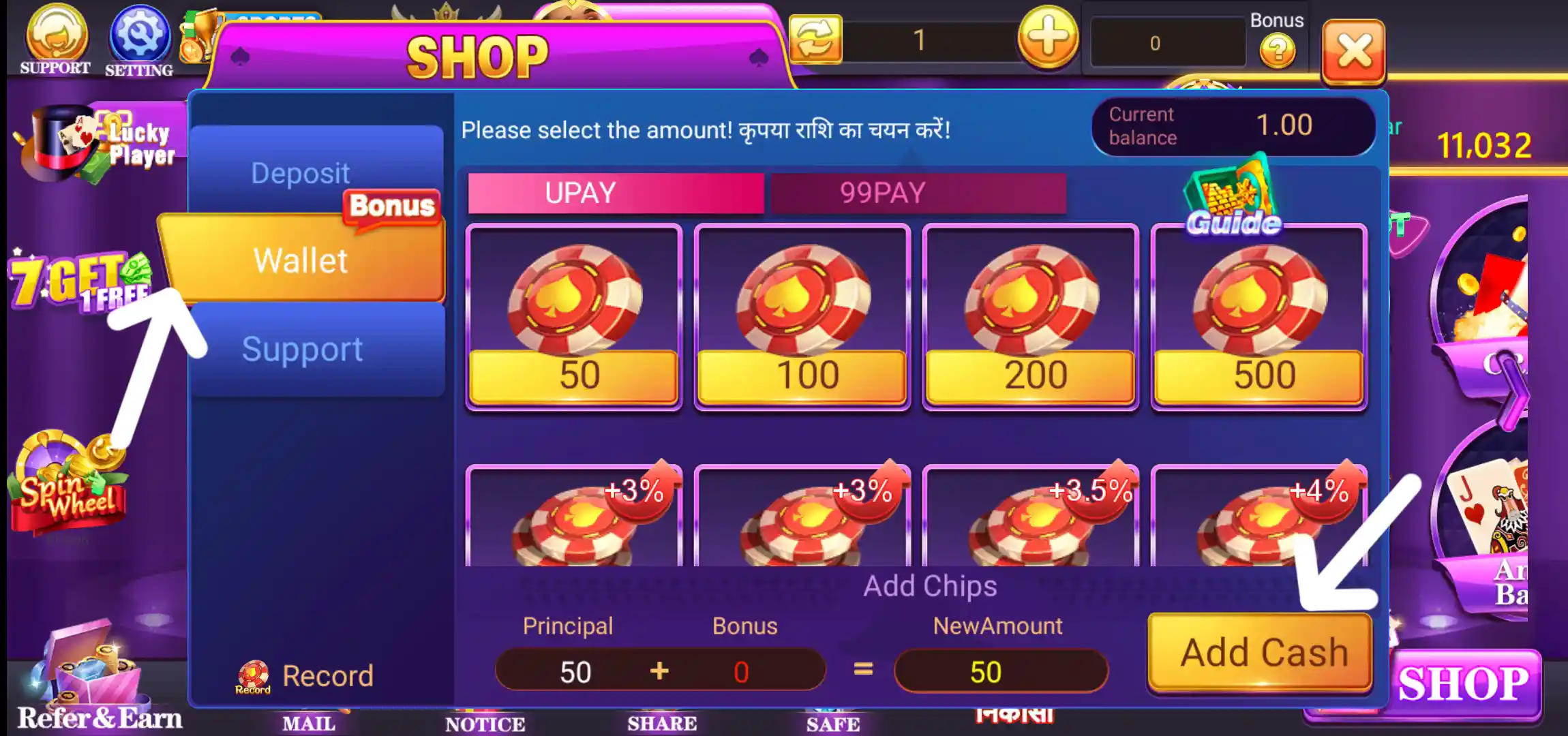
The Wallet area has an Add Cash screen with selectable recharge amounts. The screenshot shows the available chip packages and the Add Chips control. Check the current payment instructions and any displayed bonus before proceeding.
Rummy Grand Withdrawal Options
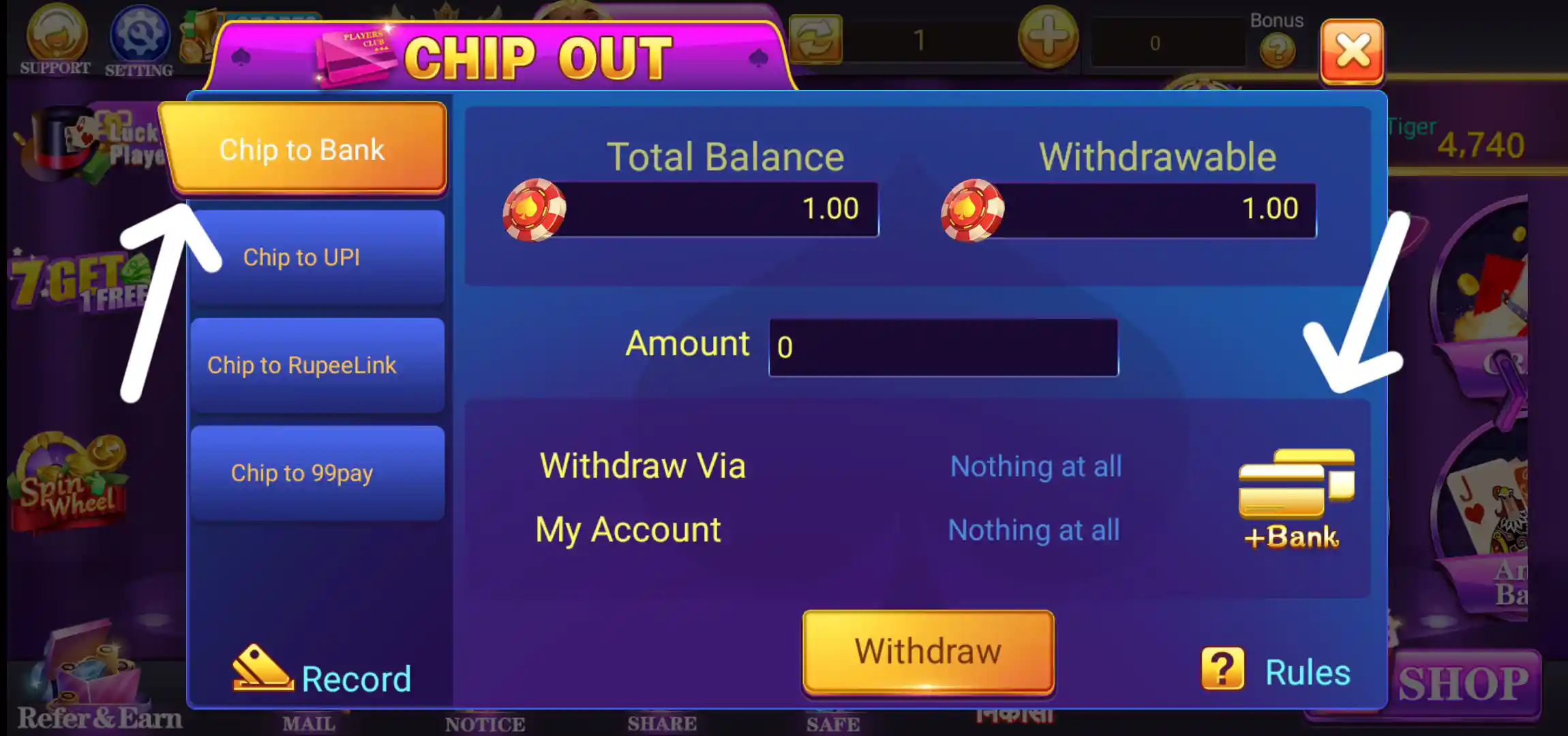
The Chip Out section shows Total Balance, Withdrawable balance, an Amount field and a Withdraw button. The screenshots show separate routes for Chip to Bank, Chip to UPI, Chip to RupeeLink and Chip to 99pay. The minimum withdrawal amount supplied for this listing is ₹100. Actual availability may depend on account verification, linked payment details, balance eligibility and the app's current rules.
Chip to Bank
Select Chip to Bank to view the bank withdrawal route. The page displays the total and withdrawable balances, amount field, withdrawal account information and Withdraw button. Link and verify the correct bank details before submitting a request.
Chip to UPI
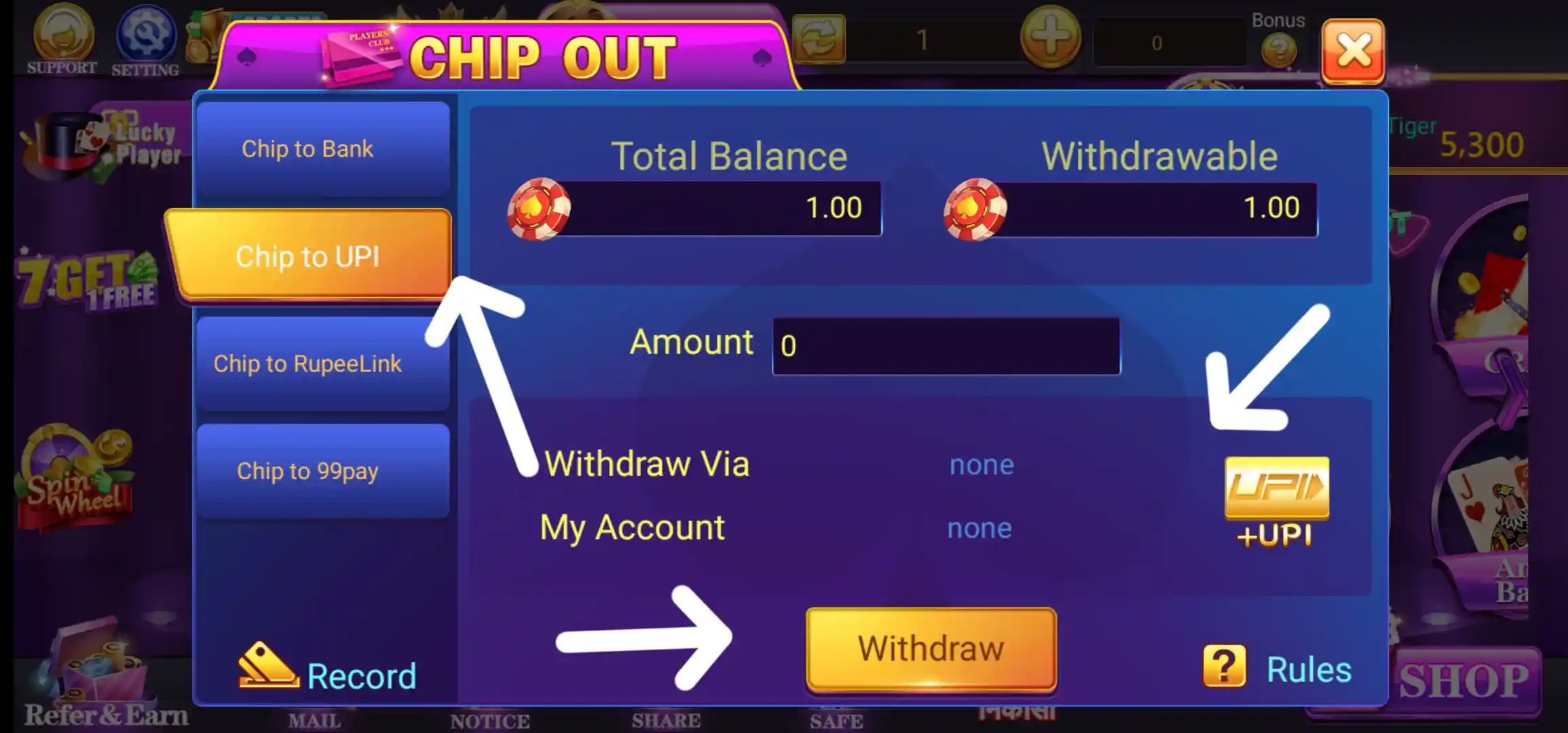
The Chip to UPI tab displays a UPI withdrawal route. The panel shows the balance, amount and Withdraw Via or My Account details. The UPI account needs to be linked correctly before it can be selected for a transaction.
Chip to RupeeLink
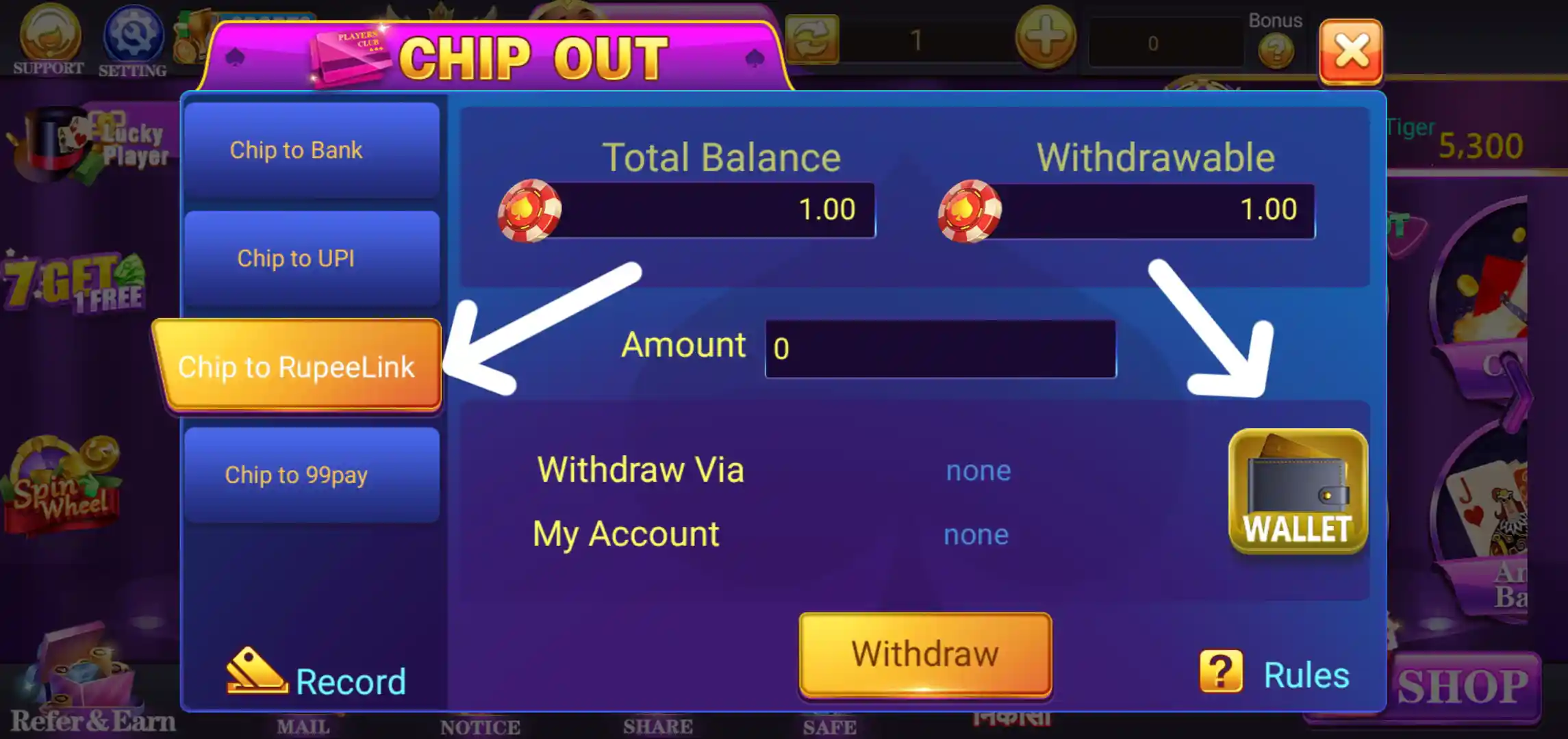
The RupeeLink option shows its own withdrawal panel and a wallet-style account icon. The screenshot displays the withdrawal amount field and account status. Check that the correct RupeeLink details are saved before attempting a withdrawal.
Chip to 99pay
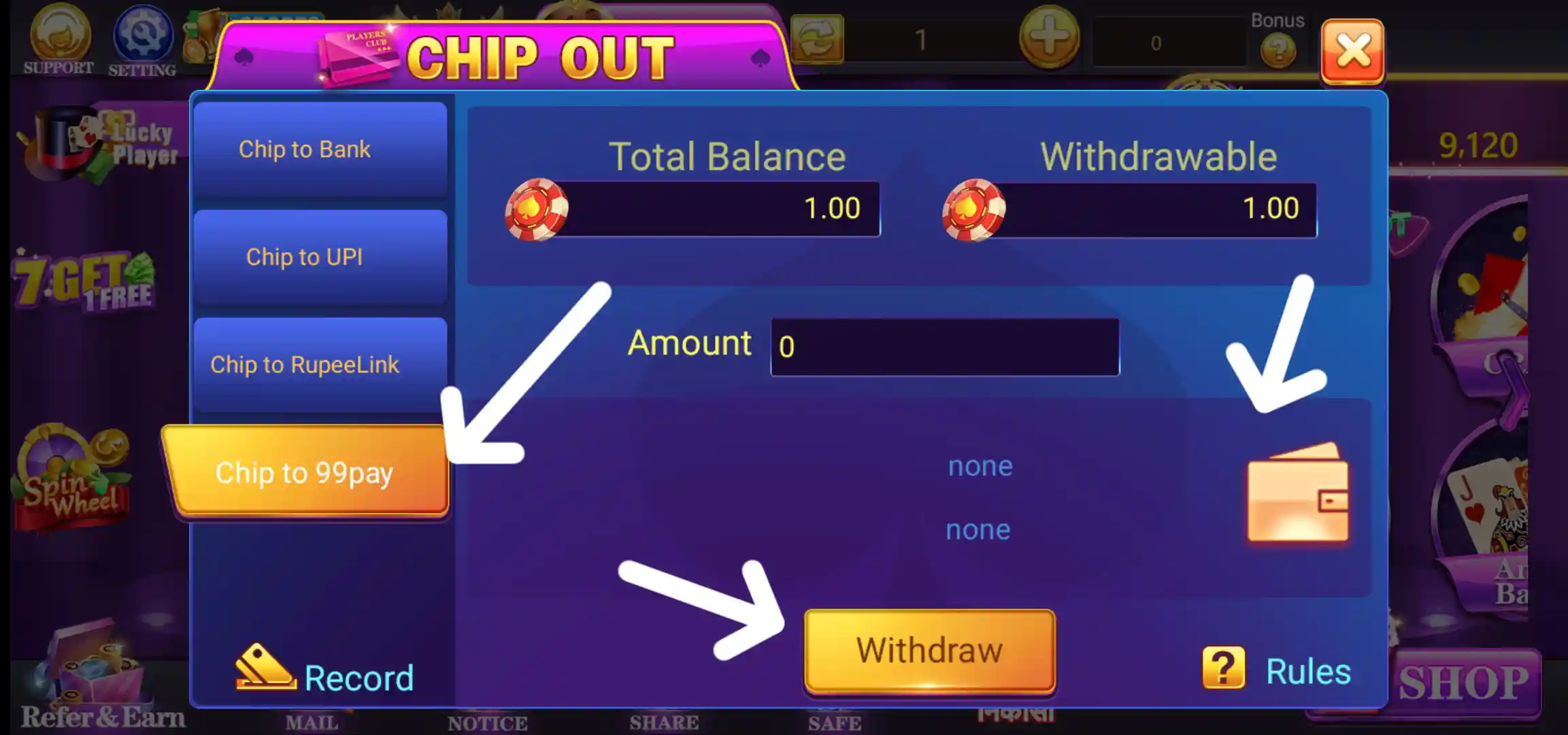
The Chip to 99pay tab is another route shown in the Chip Out menu. As with the other options, the page contains an amount field and Withdraw control. The screenshot does not confirm processing time or availability, so check the current instructions in the app.
How to Bind Bank Account in Rummy Grand
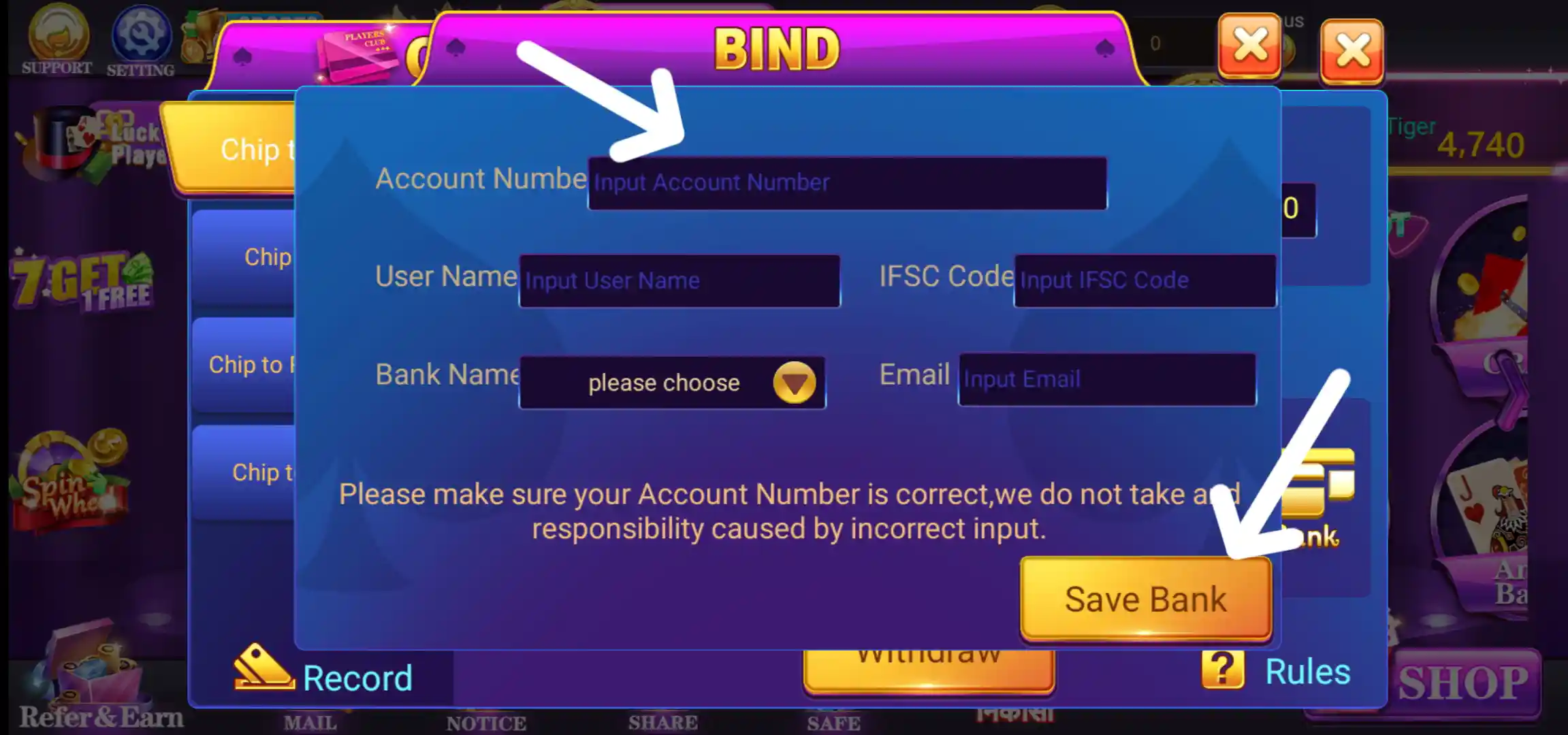
The Bind Bank form asks for Account Number, User Name, IFSC Code, Bank Name and Email. Select the bank from the dropdown, enter the account holder's name and the requested details, then check every field before tapping Save Bank. The form warns that incorrect account information may cause problems, so use an account that belongs to you and verify the details carefully.
How to Bind UPI in Rummy Grand
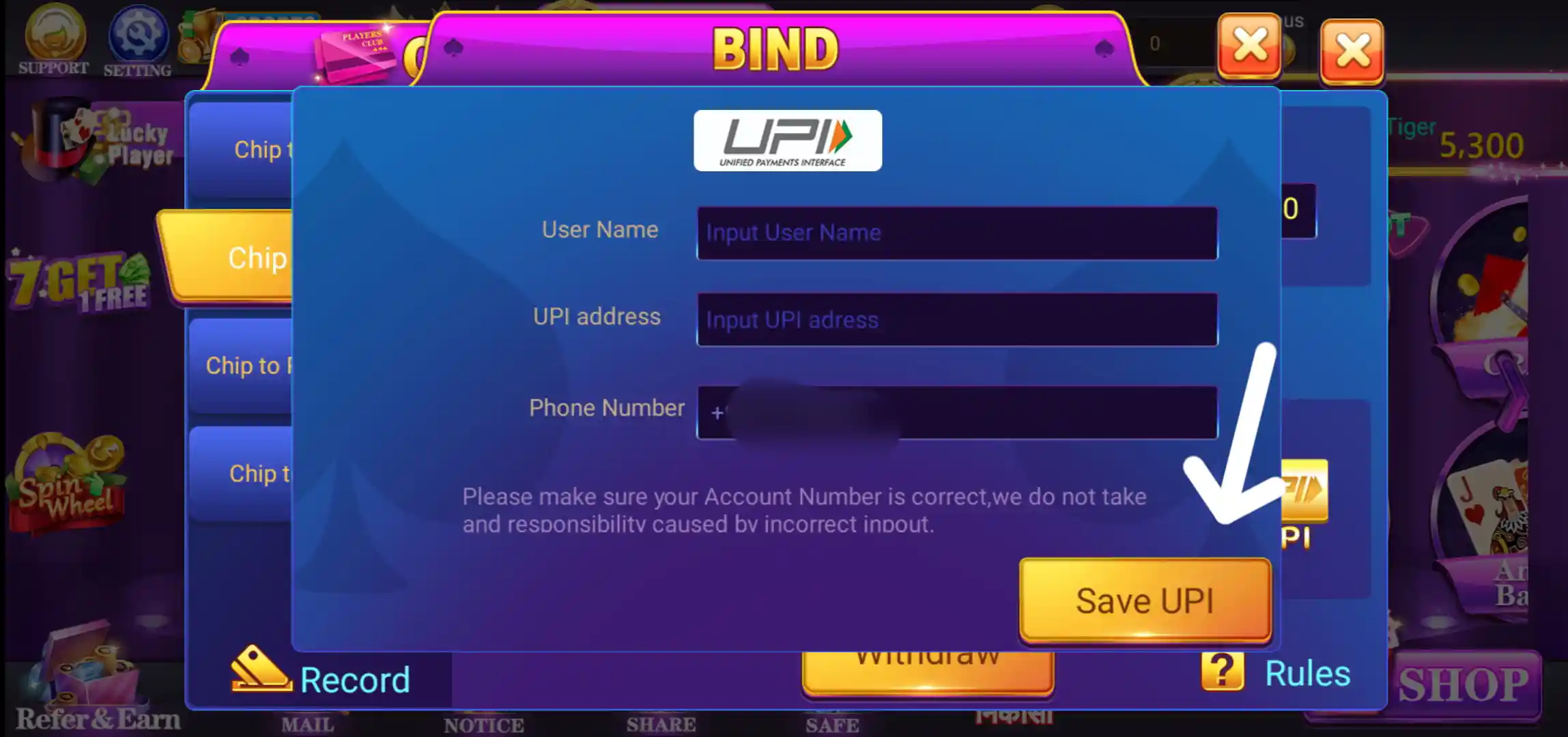
The UPI binding screen asks for User Name, UPI address and Phone Number. Enter the details that match your own UPI account and check the phone number before selecting Save UPI. Do not share your UPI PIN or OTP with anyone.
How to Bind Wallet in Rummy Grand
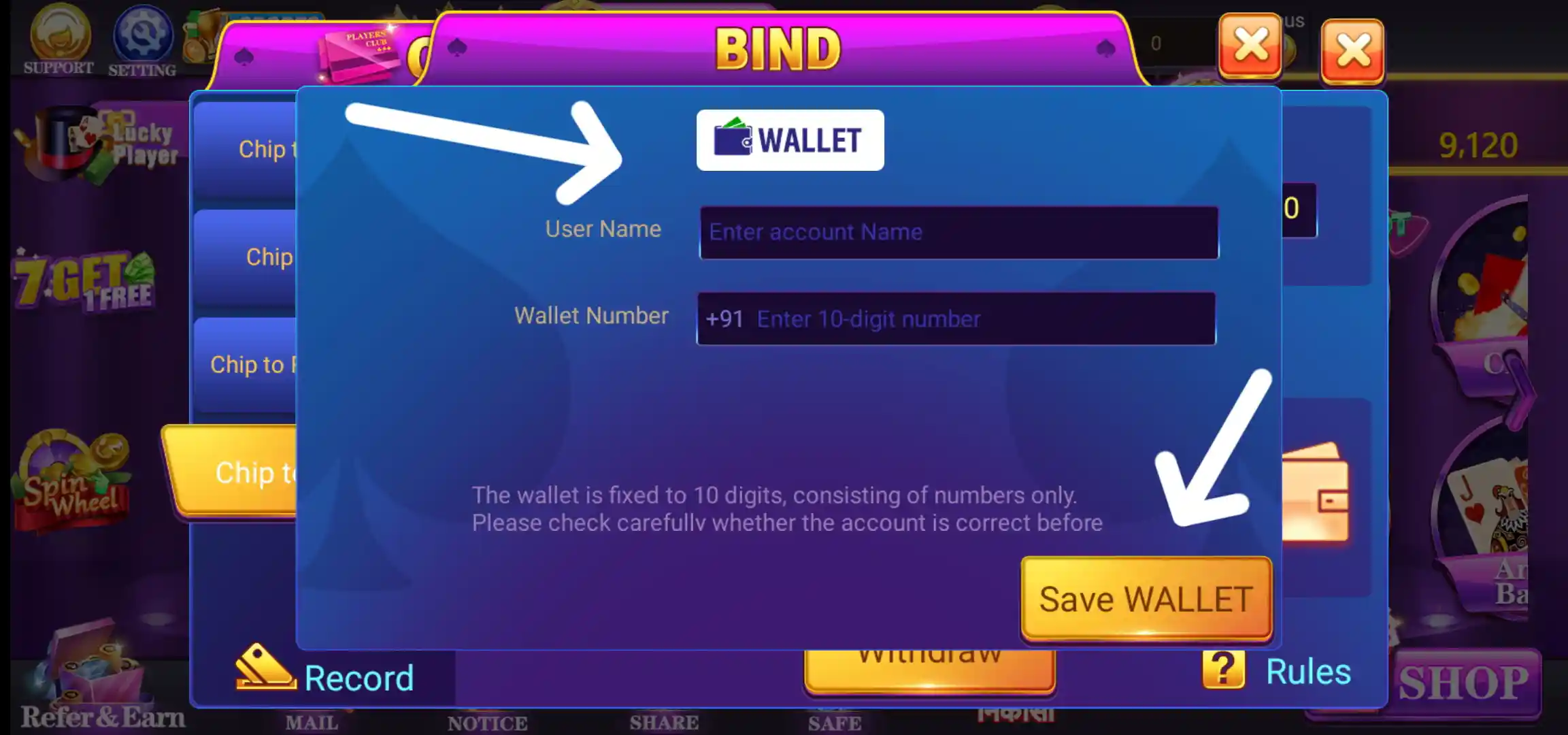
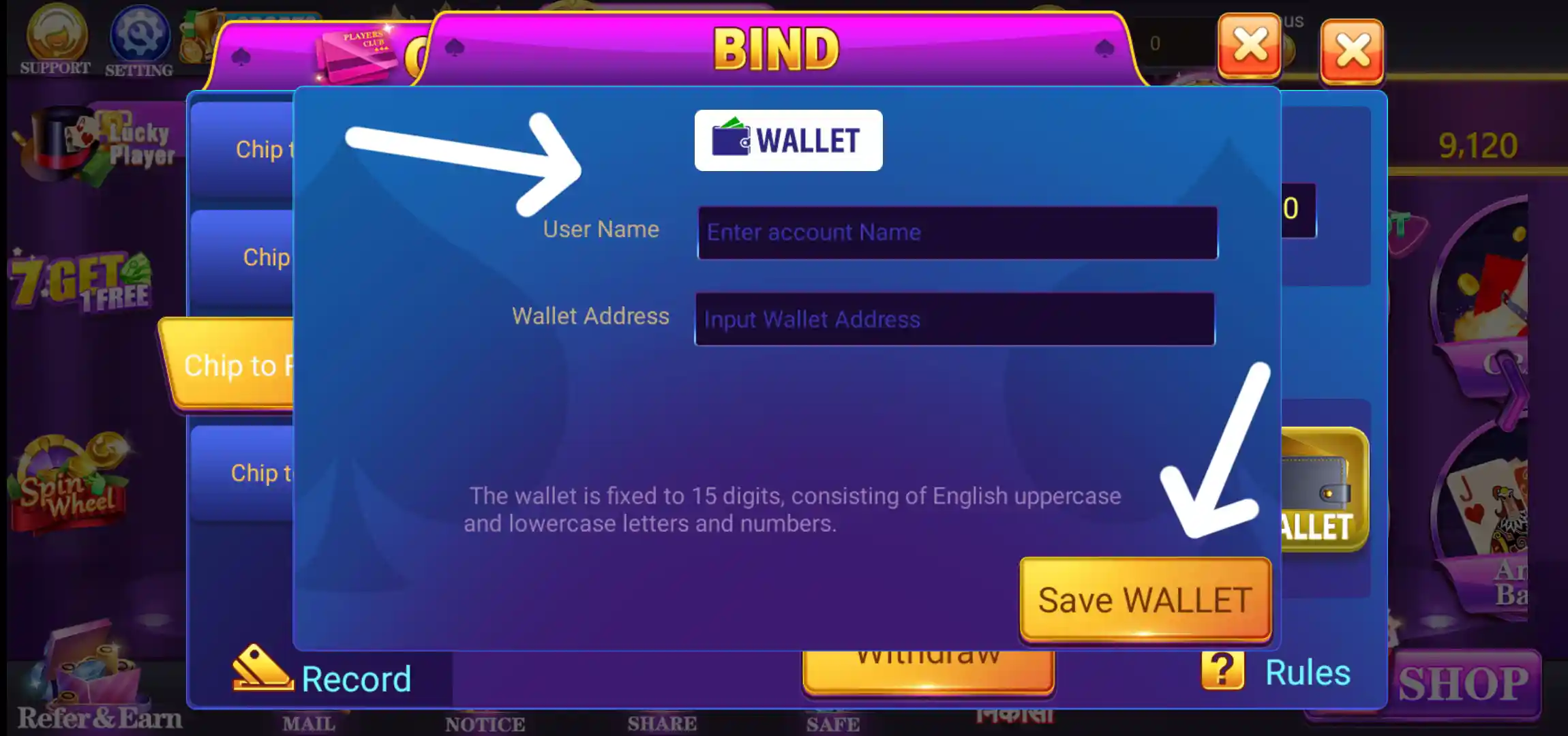
The wallet binding screen displays User Name and Wallet Address fields. One of the shown forms notes a 15-character wallet value made up of English uppercase and lowercase letters and numbers. Another wallet form displays a 10-digit mobile number field. Follow the format shown for the selected wallet type and review the details before tapping Save Wallet.
Rummy Grand Safe: Save and Take Out
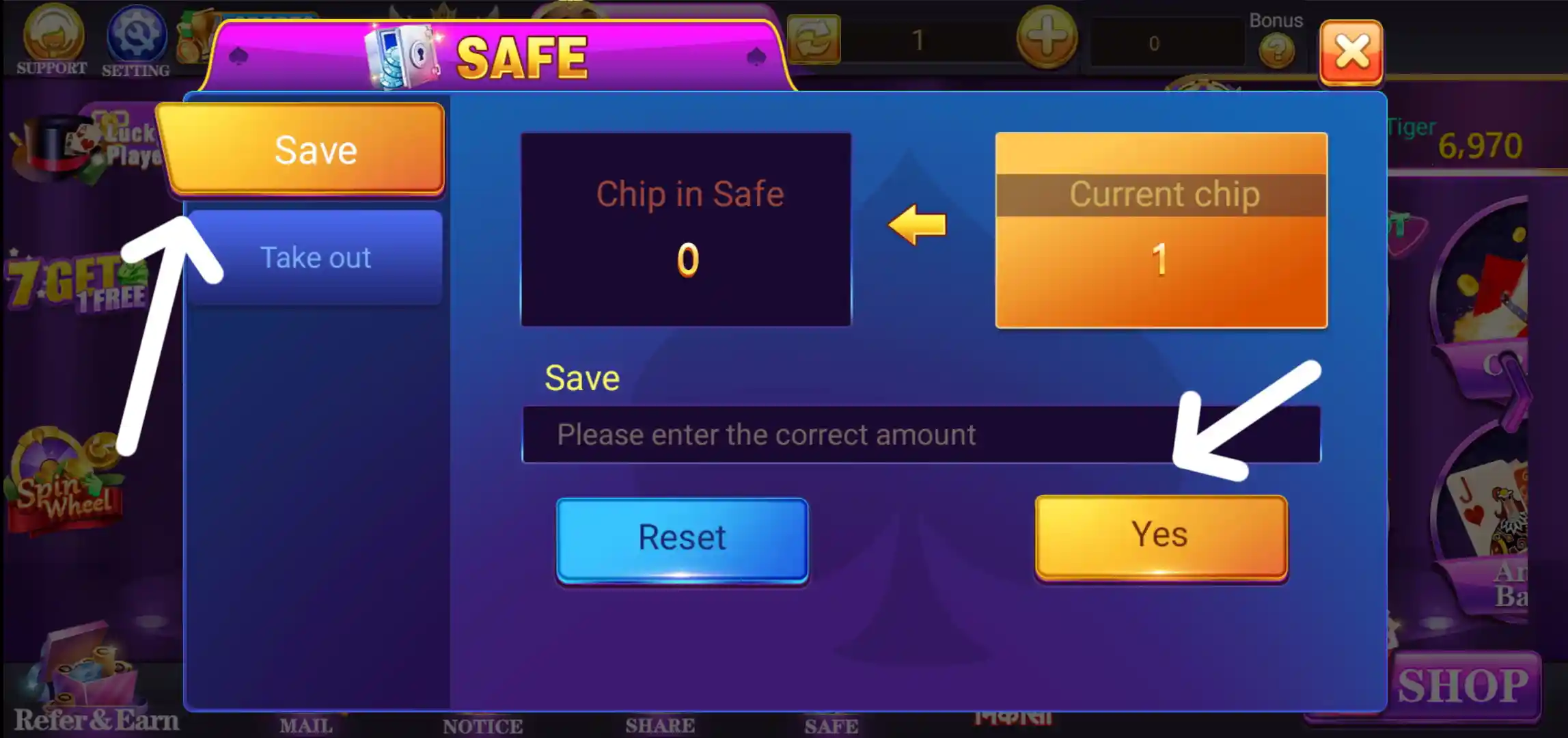
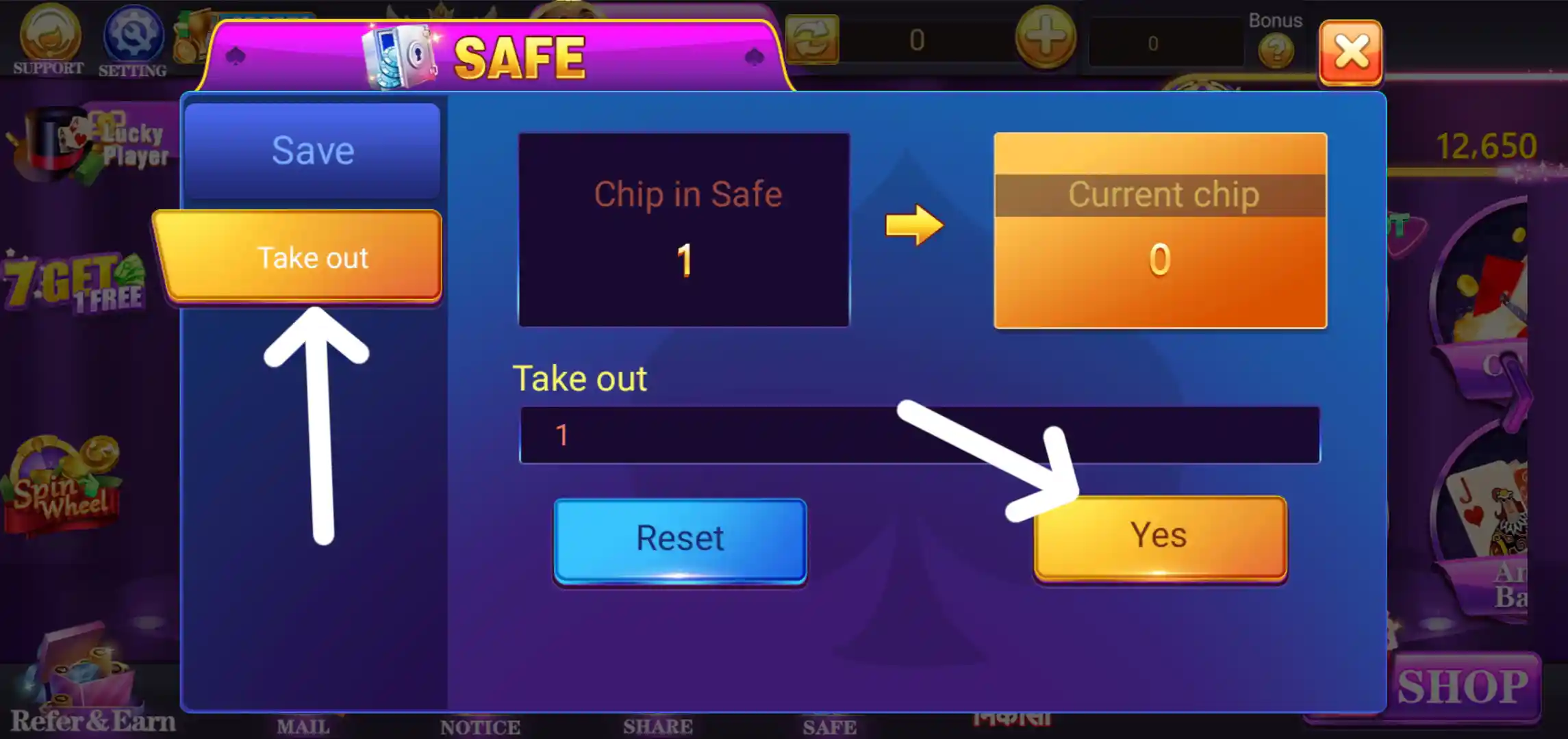
The Safe section provides Save and Take out options. The Save screen shows Chip in Safe and Current chip with an amount field and confirmation controls. The Take Out screen shows the reverse transfer option. Review the amount and the direction of the transfer before confirming.
Rummy Grand Referral Program: Refer and Earn
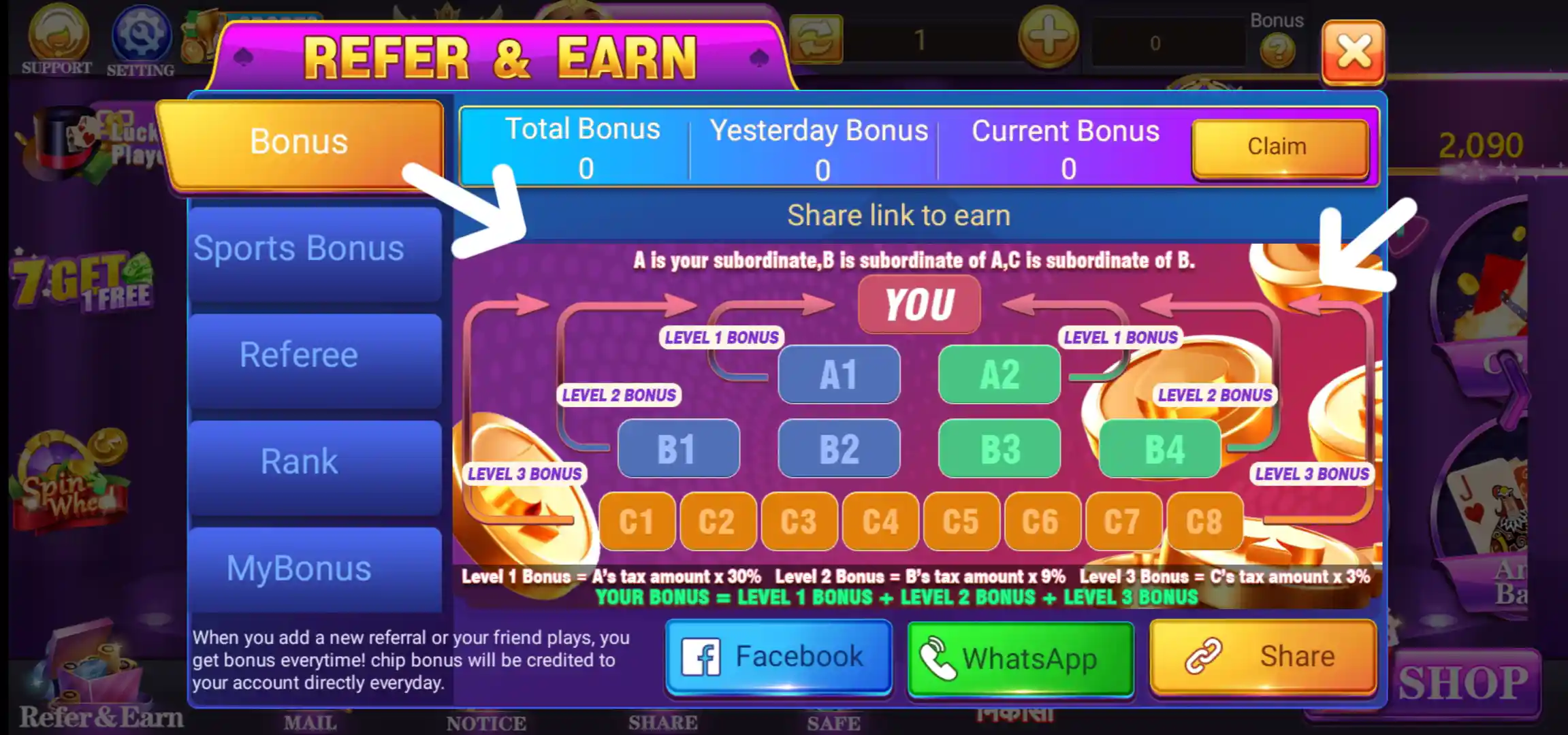
The Rummy Grand Referral Program is one of the main account features shown in the screenshots. The Refer and Earn page contains Bonus, Sports Bonus, Referee, Rank, MyBonus and BonusRecord sections. The referral panel displays a multi-level structure and explains commission calculations using the tax amount generated by referred players.
The referral details supplied for this listing are ₹100 + Referral Bonus + 30% Tax Commission when friends download and register, subject to the programme terms. The screen illustrates a three-level structure: Level 1 at 30%, Level 2 at 9% and Level 3 at 3% of the respective referred users' tax amount. The actual commission, qualifying activity, payout and eligibility are governed by the current in-app referral rules; these figures should not be treated as guaranteed earnings.
The page also provides sharing options such as WhatsApp, Facebook and Share Link. Users can review their referral activity and bonus records from the corresponding tabs.
Refer and Win
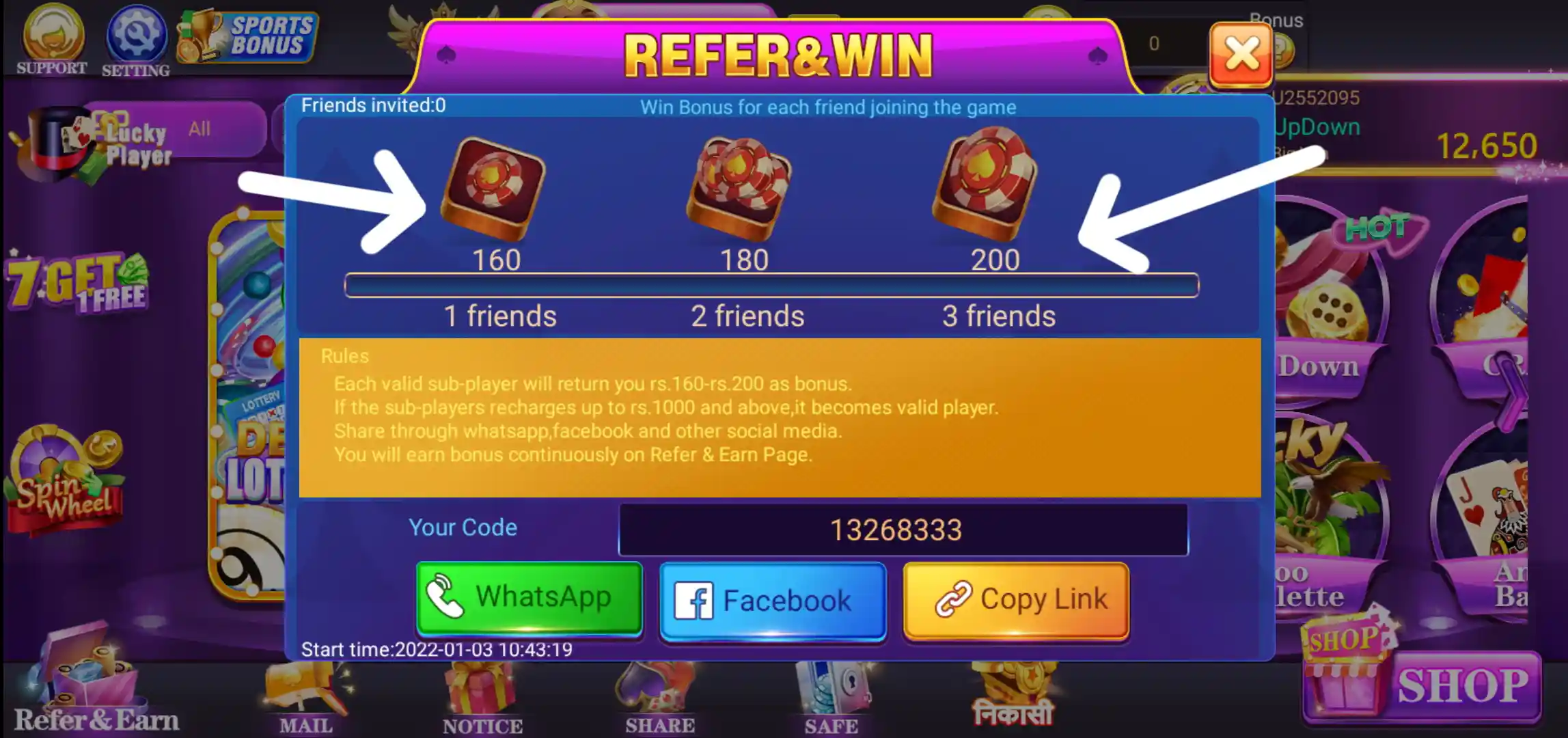
A separate Refer and Win page displays invitation rewards and a referral code, together with sharing options. The screenshot shows reward steps for inviting friends. The qualifying conditions and reward amounts should be checked on the live page before relying on an offer.
Rummy Grand Sports Bonus
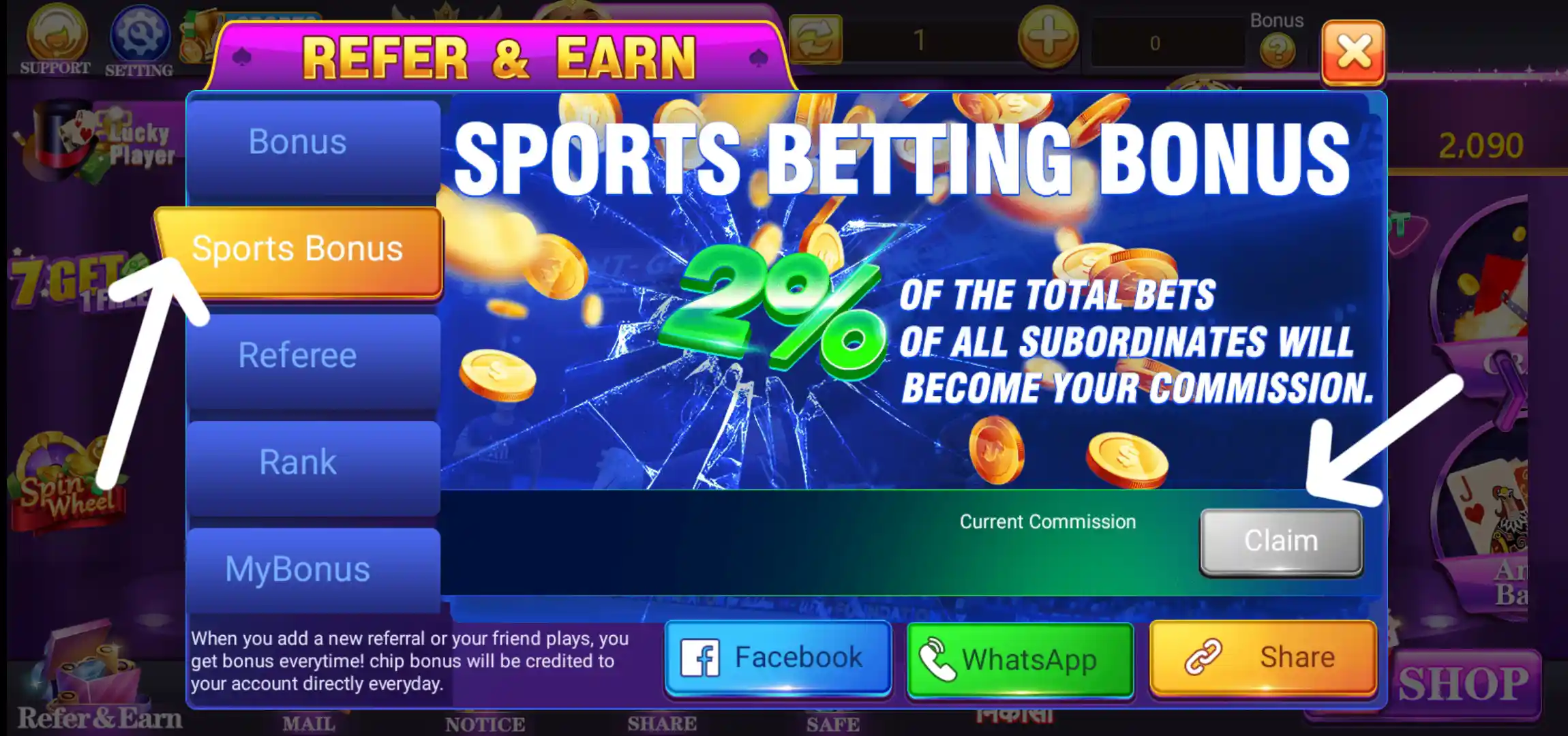
The app has a Sports Bonus panel and a separate Sports Betting page. The displayed promotion describes a 2% commission based on the total bets of referred users and includes a Claim Commission option. This is a promotional statement shown in the supplied screen, not a guaranteed return. Check the current programme conditions and local laws before accessing the feature.

Rummy Grand Spin Wheel
The home screen includes a Spin Wheel shortcut. The supplied screen shows a wheel with different reward segments and a spin control. Any reward or participation condition should be checked in the app before using the feature.

Rummy Grand User Profile
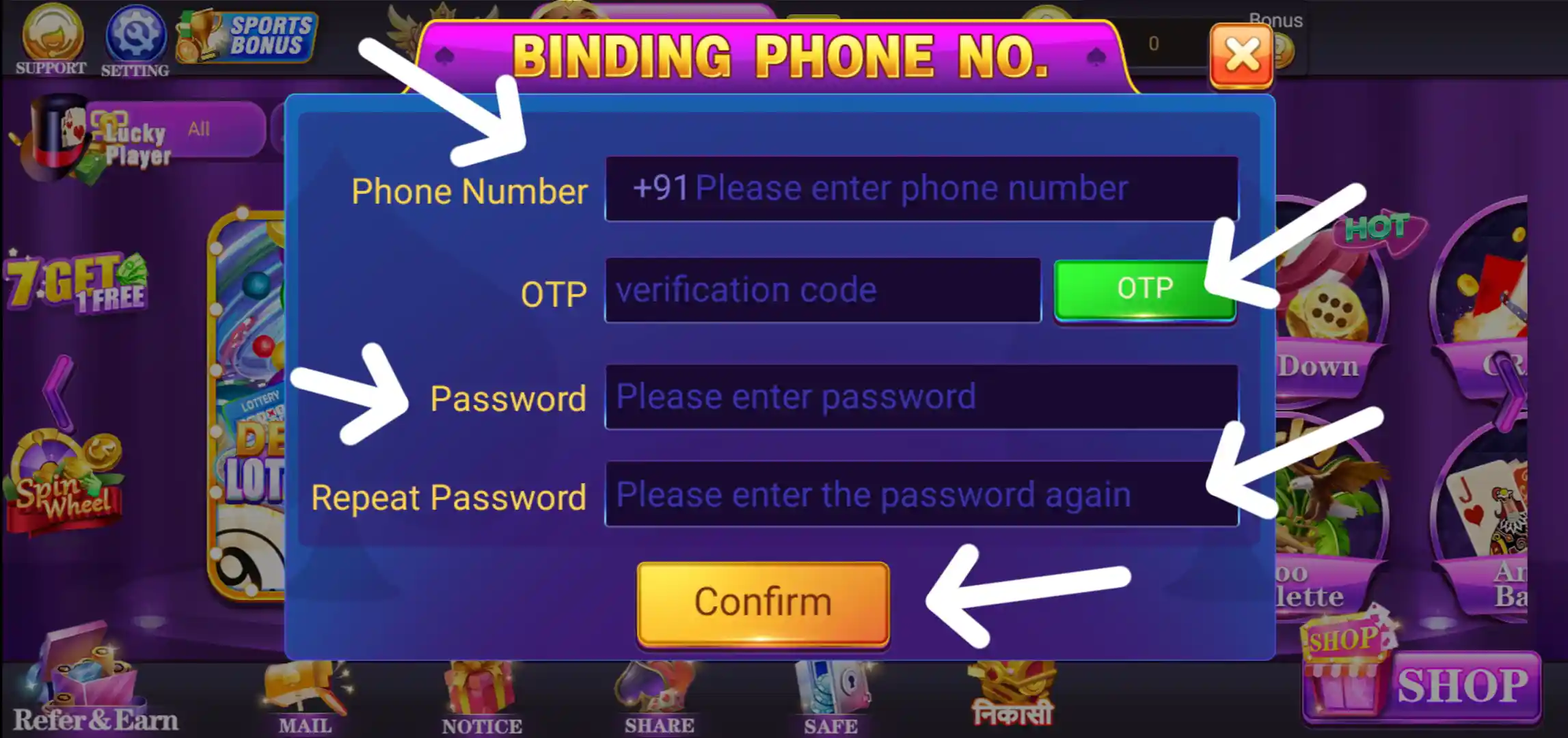
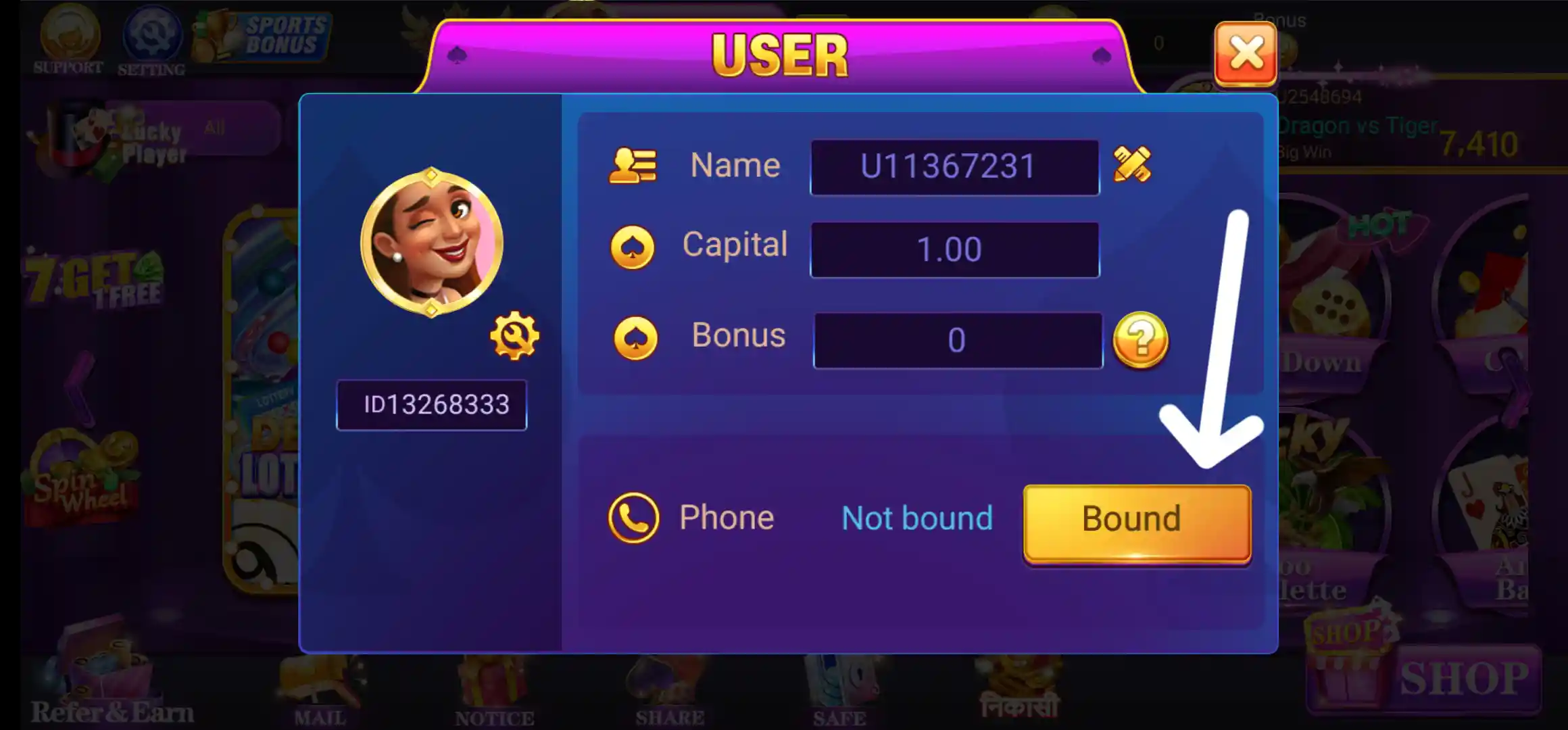
The User panel displays profile information and account-related fields, including the user name and account status. It also provides a route to bind or update the phone number. Keep profile details accurate and use only your own contact information.
Rummy Grand Customer Support
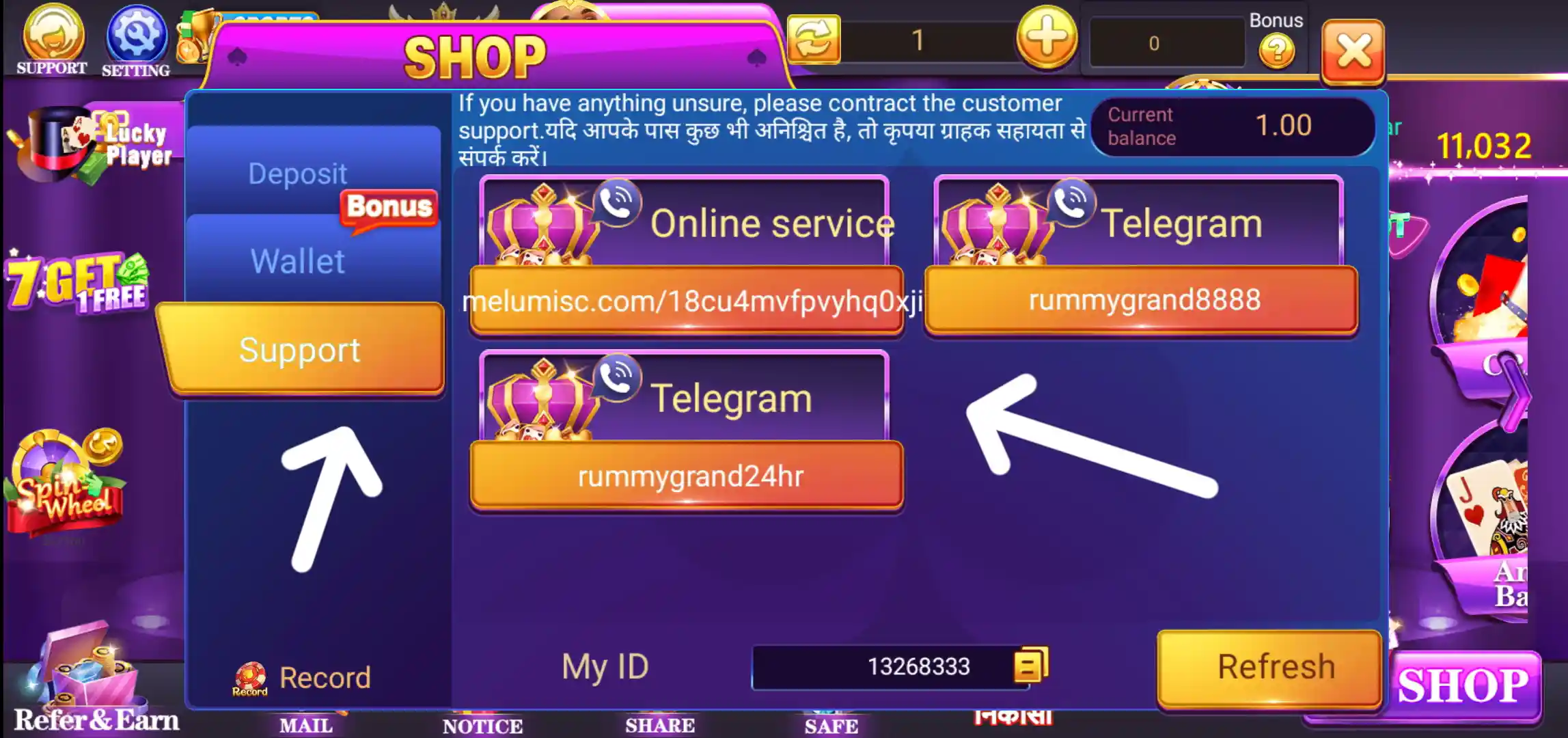
The Shop page includes a Support section with Online Service and Telegram contact labels. The screenshot also displays Telegram channel names. Use only the support details currently shown inside the app and verify the channel before contacting it. Do not share your password, OTP, UPI PIN or complete banking credentials with a support contact.
Important Points Before Using Rummy Grand
- Verify the APK source, app name, file size and permissions before installation.
- Read the rules and entry conditions of each game before participating.
- Check the current signup, recharge, referral and withdrawal terms in the app.
- Use only your own bank account, UPI ID and wallet details.
- Confirm the withdrawal route and amount before submitting a request.
- Never share passwords, OTPs, UPI PINs or banking credentials.
- Check the laws and age requirements applicable in your location before using paid or prize-based gaming features.
- Set a personal spending limit and do not borrow money to play.
Frequently Asked Questions About Rummy Grand
What is Rummy Grand?
Rummy Grand is an Android gaming app with Multiplayer, Skill, Slots and Sports categories, along with profile, wallet, payment, reward and referral sections.
How can I download Rummy Grand APK?
Tap the Download Official APK button at the top of this page. It opens the download link supplied for Rummy Grand, where you can proceed with the APK download.
What is the size of Rummy Grand APK?
The app size provided for this listing is 65.6 MB. The size may change in a later version.
What is the Rummy Grand signup bonus?
The listing details provided for this page state a signup bonus of ₹1. Check the app for the current offer and eligibility.
What is the minimum withdrawal in Rummy Grand?
The minimum withdrawal amount provided for this listing is ₹100. Confirm the current conditions and eligible balance in your account.
Which withdrawal options are shown in Rummy Grand?
The Chip Out screenshots show Chip to Bank, Chip to UPI, Chip to RupeeLink and Chip to 99pay options. The routes available to an account may depend on its linked payment details.
Can I bind my bank account and UPI in Rummy Grand?
The app shows separate forms for bank and UPI binding. The bank form asks for account number, user name, IFSC code, bank name and email; the UPI form asks for user name, UPI address and phone number.
Does Rummy Grand have a referral program?
Yes, the app shows Refer and Earn and Refer and Win pages. The listing details mention ₹100, referral bonus and 30% tax commission, while the in-app screen illustrates additional commission levels. Rewards depend on the current programme rules and qualifying activity.
What is the 7 Get 1 Free offer?
The event screen describes rewards for recharging on seven consecutive days. It says rewards are sent to the mailbox and asks users to read the event chart for full details.
How can I contact Rummy Grand support?
Open Shop and select Support to view the Online Service and Telegram contact information displayed in the app. Do not share passwords or payment PINs.
Final Words on Rummy Grand App
Rummy Grand App brings several game categories together with account binding, Shop, deposit, Chip Out, Safe, VIP rewards, Spin Wheel and referral sections. If you are looking for Rummy Grand APK or want to Download Rummy Grand, use the Download Official APK button above. Review the file details, current app terms, payment conditions and local requirements before using any feature.